How to Print on Blank Plastic Cards: A Step-by-Step Guide
Table of Contents []
- Everything You Need to Know About How to Print on Blank Plastic Cards - From Plastic Card ID
- Understanding Blank CR80 Cards: The Foundation of Every In-House Card Program
- Card Printer Technology: Choosing the Right Machine for the Job
- Printer Ribbons and Consumables: The Supplies That Drive Print Quality
- Encoding Plastic Cards: Adding Magnetic Stripes, RFID, and Smart Chips
- Step-by-Step: How to Print on Blank Plastic Cards In-House
- Specialty Cards and Advanced Applications From Plastic Card ID
Everything You Need to Know About How to Print on Blank Plastic Cards - From Plastic Card ID
So you have a stack of blank plastic cards sitting on your desk and a vision in your head. Maybe it is an employee badge with a logo and a name. Maybe it is a loyalty card that slides into a wallet and stays there for years. Whatever the end use, the question is the same: how do you actually print on blank plastic cards and get results that look professional?
This guide walks you through every meaningful step - from choosing the right card stock and printer type, to understanding ribbon technology, encoding options, and the real-world workflows that businesses across the United States use every day to run successful card programs. Plastic Card ID has spent over 25 years helping organizations of every size figure this out, and the knowledge runs deep.
| Card Type | Typical Use | Printing Method | Encoding? |
|---|---|---|---|
| Blank CR80 PVC | ID, loyalty, membership | Dye-sublimation, direct-to-card | Optional |
| Magnetic Stripe (HiCo/LoCo) | Hotel keys, gift cards, access | Direct-to-card mag encoder | Yes - magnetic |
| RFID / Proximity | Access control, contactless | Direct-to-card | Yes - RFID |
| Smart Chip Cards | Secure ID, campus access | Retransfer recommended | Yes - chip |
| Clear / Frosted PVC | VIP cards, specialty branding | Direct-to-card or retransfer | Optional |
Understanding Blank CR80 Cards: The Foundation of Every In-House Card Program
The CR80 standard is not arbitrary. At 3.375 inches by 2.125 inches and 30 mil thick, it is the exact dimension of a standard credit card - universally accepted by card printers, cardholders, and badge holders alike. Blank CR80 PVC cards are the workhorse of serious in-house card programs, giving organizations the design freedom they need without the lead times of pre-printed stock.
When you purchase blank cards and print in-house, you control everything: the artwork, the personalization, the timing, and the per-card cost. That last point matters more than most people initially realize. Over time, a well-configured in-house setup consistently outperforms outsourced card printing on a cost-per-card basis, especially once volume climbs above a few hundred cards per month.
What "Blank" Actually Means - and Why It Matters
A blank card is a clean canvas - no printing, no encoding, no laminate applied. It is a raw PVC substrate waiting for your design, your data, and your purpose. The card itself carries no identity until you give it one, which is precisely what makes blank cards so powerful for organizations managing multiple card types from a single inventory.
One office can maintain a single box of blank CR80s and, depending on the day, print employee badges, visitor passes, or event credentials from the same stock. That flexibility reduces overhead, simplifies reordering, and keeps your card program responsive to real-time needs without waiting on a print vendor.
Card Thickness, Finish, and Material Options
The standard 30 mil card is the most common, but thickness matters depending on application. Thinner cards (10 mil, 20 mil) are sometimes used as hang tags or insert cards, while the full 30 mil is what most card printers expect. Using the correct card thickness prevents printer jams and ensures consistent image quality across every print run.
Finish options include glossy, matte, and frosted. Glossy PVC offers the sharpest color reproduction and is ideal for logo-heavy designs. Matte finishes reduce glare and provide a more understated look. Frosted and clear cards introduce a visual premium that is particularly effective for VIP membership or specialty retail applications.
Colored and Specialty Stock
Not every card program starts with white. Plastic Card ID supplies colored blank card stock in a range of base colors, which changes the character of your final printed card dramatically. Printing a dark logo onto a black or navy blank looks entirely different from printing onto white - and for certain brands, that distinction defines the customer experience.
Specialty options extend further into clear and frosted translucent cards, which create striking visual effects when combined with selective printing. These cards are especially popular in hospitality, high-end retail, and entertainment venues where first impressions carry real commercial weight.
Card Printer Technology: Choosing the Right Machine for the Job
The printer you choose shapes every outcome downstream. Selecting the wrong card printer is one of the most common and costly mistakes organizations make when building out an in-house card program. Understanding the difference between printing methods - and matching them to your card type and volume - is not optional. It is foundational.
Plastic Card ID carries card printers from Evolis, Zebra, and Fargo, three of the most respected names in the industry. Each brand covers a spectrum from entry-level single-sided desktop units to high-volume dual-sided printers with lamination modules and integrated encoding. Knowing what you need today and where your program might go tomorrow should guide your selection.
Direct-to-Card vs. Retransfer Printing
Direct-to-card (DTC) printing places the dye-sublimation image directly onto the card surface. It is fast, cost-effective, and produces excellent results on standard flat PVC cards. The caveat is that the printhead does not print over raised surfaces like smart chip contacts, leaving a small unprinted border at the card edge. For most applications, this is entirely acceptable.
Retransfer printing, by contrast, prints the image onto a clear film that is then thermally fused to the card surface. The result is an over-the-edge print that covers the entire card face, including chip contacts. Retransfer delivers the sharpest, most durable image quality available from desktop card printers and is strongly recommended for smart card programs, laminated ID cards, and any application where image permanence is critical.
Single-Sided vs. Dual-Sided Printing
Single-sided printers handle one face per pass, which is perfectly adequate for many loyalty card and simple ID programs. Dual-sided printers flip the card automatically and print both faces in one pass, dramatically reducing production time when your card design demands content on the back - barcodes, terms and conditions, contact information, or secondary branding.
For organizations printing more than a few hundred cards per week, the time savings from a dual-sided printer add up quickly. Consider not just today's volume but the trajectory of your program over the next 12-24 months when making this decision.
Lamination Modules and Security Overlaminates
Some card printers support inline lamination, applying a thin overlaminate film to the card surface immediately after printing. This dramatically increases card durability, scratch resistance, and in some configurations, adds holographic or tactile security features. Laminated cards last significantly longer in wallets, badge holders, and high-contact environments.
For ID programs, access control credentials, and campus cards where longevity and security both matter, a printer with a lamination module is worth the investment. CPE can help you evaluate whether the print volume and card lifecycle of your program justify the added capability.
Printer Ribbons and Consumables: The Supplies That Drive Print Quality
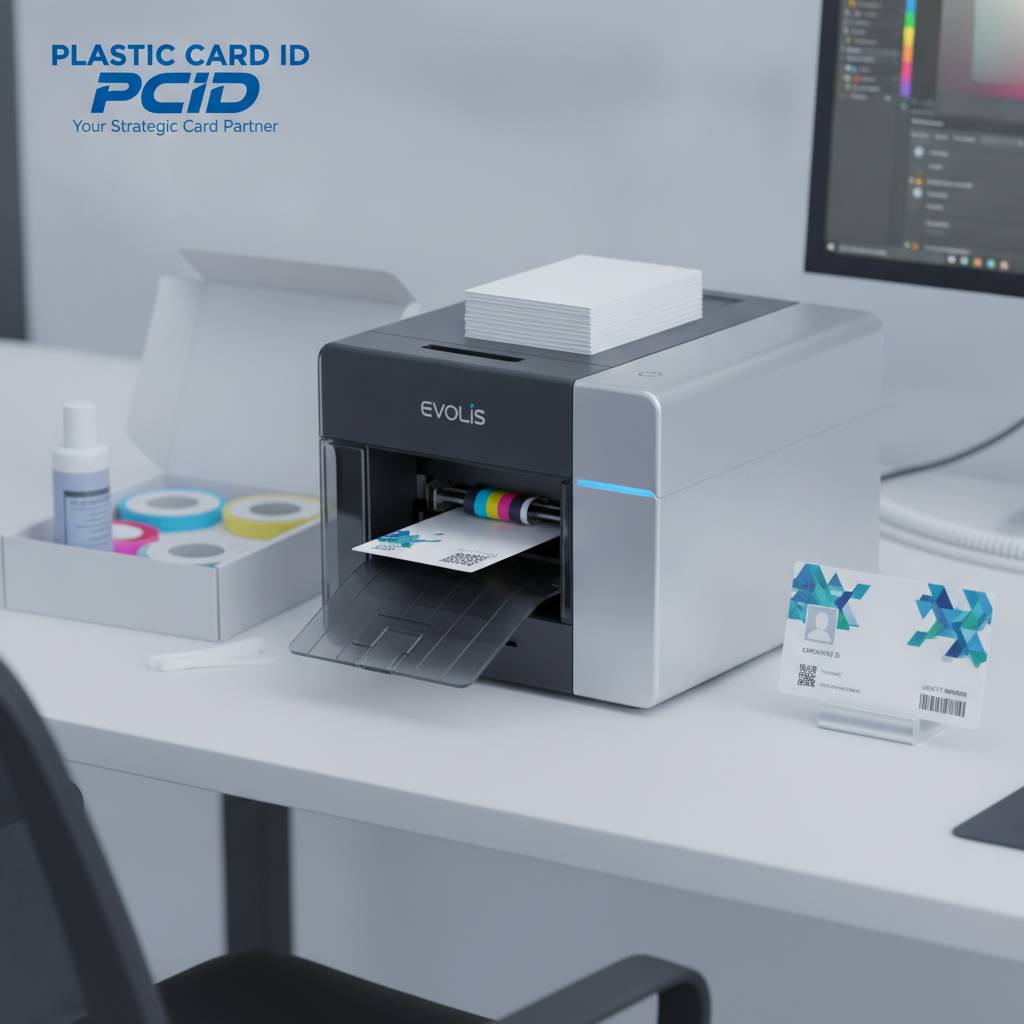 No card printer performs better than the ribbon inside it. Ribbon quality, ribbon type, and ribbon compatibility are directly responsible for the color accuracy, durability, and consistency of every card you print. This is not a place to cut corners - cheap off-brand ribbons cause jammed printers, faded images, and failed print runs that cost far more in wasted cards and downtime than the ribbon savings ever justified.
Plastic Card ID supplies OEM-grade printer ribbons for Evolis, Zebra, and Fargo printers across the full range of ribbon types. Whether you need full-color YMCKO ribbons, monochrome black ribbons for fast single-color ID printing, or specialty overlay ribbons for added protection, the right consumable is part of every successful card printing program.
YMCKO, KO, and Monochrome Ribbons Explained
YMCKO ribbons are the standard for full-color card printing. The panels are Yellow, Magenta, Cyan, Black (resin), and Overlay. Together they produce the full-color photographic images and text your card designs require, topped with a protective overlay that seals and protects the printed surface. This ribbon type covers the widest range of general card printing applications.
KO ribbons skip the color panels and print only in black resin, then apply the overlay. These are ideal for organizations printing cards with pre-printed color backgrounds (purchased pre-colored from a card supplier) who only need to add variable data like names, numbers, or barcodes in the field. KO ribbons are faster and more economical when color on card is not needed from the printer.
Cleaning Kits and Printer Maintenance
A card printer that is not regularly cleaned is a card printer that will eventually fail at the worst possible moment. Dust, card debris, and ribbon residue accumulate inside the printer and degrade print quality gradually - until one day the output is noticeably streaked, blotchy, or simply wrong. Routine cleaning is the single most effective maintenance habit for any card printing program.
Cleaning kits from Plastic Card ID include the cleaning cards, cleaning swabs, and cleaning rollers specific to your printer model. Most manufacturers recommend a cleaning cycle every 1,000 cards or every ribbon change - whichever comes first. Following this schedule protects your printhead investment and keeps image quality consistent from the first card in a batch to the last.
Ribbon Storage and Shelf Life
Ribbons are sensitive. Heat, humidity, and direct sunlight degrade ribbon panels and reduce print quality even before a ribbon is installed. Store ribbons in a cool, dry location in their sealed packaging until you are ready to use them. Most ribbons carry a recommended shelf life, and exceeding it results in inconsistent color reproduction and panel separation issues during printing.
Ordering ribbons in quantities that match your printing cadence is wise. CPE recommends a 60-90 day stock level for active programs - enough buffer to avoid disruption from shipping delays without holding inventory so long that shelf life becomes a concern. Call 800.835.7919 to set up a reliable supply schedule that keeps your program running without interruption.
Encoding Plastic Cards: Adding Magnetic Stripes, RFID, and Smart Chips
Printing a visible design on a plastic card is only one dimension of what a card can do. The real operational power of a plastic card program often lives in what is encoded onto or embedded within the card - the magnetic stripe that stores account data, the RFID chip that communicates with a reader, or the smart chip that runs a secure authentication protocol.
Understanding encoding options before you purchase your blank cards ensures you buy the right card type for your application. You cannot add a magnetic stripe to a card that was not manufactured with one. Similarly, RFID and smart chip functionality require cards with the appropriate embedded components from the factory. Planning ahead here is not optional.
Magnetic Stripe Cards: HiCo vs. LoCo
Magnetic stripe cards come in two coercivity ratings: High Coercivity (HiCo) and Low Coercivity (LoCo). HiCo stripes require stronger magnetic fields to encode and are more resistant to accidental erasure from everyday magnetic sources. HiCo is the correct choice for gift cards, hotel keys, access cards, and any card expected to have a long active lifespan.
LoCo cards encode more easily and are generally used for short-lifecycle applications - temporary event badges, single-use passes, or promotional items where durability against magnetic interference is less critical. When in doubt, HiCo is the safer choice. Plastic Card ID supplies both, and the price difference between them is minimal relative to the value of card reliability.
RFID and Proximity Cards for Access Control
RFID cards contain an embedded antenna and microchip that communicate wirelessly with compatible readers. Proximity cards operate at 125 kHz and are the workhorse of many access control systems - widely deployed, affordable, and broadly compatible with existing reader infrastructure across office buildings, campuses, and facilities nationwide.
Contactless smart cards operating at 13.56 MHz, including MIFARE DESFire configurations, offer a significant step up in security and data capacity. These are well-suited for multi-application environments - a single card that handles building access, cafeteria payments, and logical login depending on the reader. RFID smart cards represent the current frontier of physical access credential technology.
Smart Chip Cards and Secure Credential Applications
Contact smart chip cards feature an embedded microprocessor accessed through a gold contact pad on the card face. These cards store and process data securely onboard, making them ideal for applications requiring cryptographic authentication - campus ID programs, government identification, and secure facility access where data integrity is non-negotiable.
Printing on smart chip cards requires either a direct-to-card printer with a chip recess (so the printhead clears the contact pad) or a retransfer printer that prints over the entire card surface without direct printhead contact. Plastic Card ID can advise on the correct printer configuration based on your specific chip card format and program requirements.
Step-by-Step: How to Print on Blank Plastic Cards In-House
Theory is useful. Process is what actually gets cards printed. Here is a practical walkthrough of how a typical in-house card printing workflow operates, from setup through finished card delivery. This applies to the majority of ID, loyalty, membership, and access card programs running on desktop card printers across the country.
Getting this workflow right from the beginning saves enormous amounts of time and frustration. The most common printing problems - color shifts, card jams, uneven coverage - are almost always the result of skipping steps or using incompatible components. Doing it right once means it runs smoothly every time after.
Setup, Software, and Card Design
Before your first card prints, you need the right software. Most card printers ship with basic card design software, and several professional options exist for more complex programs. Your design file needs to account for card dimensions (3.375 x 2.125 inches), bleed areas if printing edge-to-edge, and any variable data fields if personalizing each card individually.
Install the correct printer driver for your operating system, load the ribbon per manufacturer instructions, and fan your blank card stock before loading it into the input hopper. Fanning prevents static-induced card feeding issues that cause jams in the early stages of a print run - a small step that saves significant frustration.
Print Settings, Color Profiles, and Test Runs
- Always run a test print before committing to a full batch, especially with a new design or a new ribbon lot.
- Use the color profile settings recommended by your printer manufacturer for accurate color reproduction.
- Adjust darkness and print speed settings based on the specific ribbon and card combination you are using.
- Review the test card under good lighting for color accuracy, registration alignment, and edge coverage before proceeding.
- Keep a printed sample from each successful batch as a reference standard for future quality checks.
Color management is a surprisingly deep subject in card printing. What looks correct on screen may not match what the printer produces without calibration. Most card design software includes tools for printer calibration and ICC profile loading - using them from the start prevents the frustration of reprinting batches that came out too warm, too cool, or simply off-brand.
Encoding, Finishing, and Quality Control
If your cards require magnetic stripe encoding, your printer's built-in encoder will write the data to the stripe during the print cycle if configured correctly. Verify encoding against a known-good reader after each batch run. RFID and smart chip encoding may require additional programming steps depending on your system infrastructure.
After printing, cards can be reviewed for visual quality, sleeved in card carriers for distribution, or prepared for mailing using card affixing services. Plastic Card ID supports the entire fulfillment chain - from supplying blank cards and printers through to card carriers, sleeves, and mailing services, so every card reaches its intended recipient in perfect condition.
Specialty Cards and Advanced Applications From Plastic Card ID
Standard CR80 PVC covers a wide range of use cases, but some programs call for something beyond the standard. When your card needs to make a statement that plain white PVC simply cannot deliver, specialty card options open up a range of compelling possibilities - from clear and frosted stock to custom die-cut shapes and luxury metal cards.
CPE has supplied specialty cards for casino loyalty programs, hotel key card programs, high-end retail membership cards, and corporate VIP credentials. Each application has its own requirements around durability, printability, and encoding compatibility - and getting the right combination requires the kind of experience that only comes from two and a half decades in the industry.
Clear and Frosted Plastic Cards
Clear PVC cards are fully translucent, which means the card stock itself becomes a design element. Selective printing on a clear card creates a floating graphic effect that is immediately distinctive in a wallet or on a counter. Frosted cards soften this effect, creating a subtle, high-end aesthetic that works exceptionally well for spa memberships, boutique hotel keys, and premium retail programs.
Printing on clear cards requires attention to ink opacity settings and may require a white underprint to ensure logos and text remain legible. Not all card printers support white printing, so confirming printer capability before purchasing clear stock is a step worth taking. Plastic Card ID can walk you through compatibility before you order.
Luxury Metal Cards
Stainless steel, brass, and gold metal cards occupy a category entirely their own. A metal card is not a card you hand someone and forget - it is a physical statement about your brand, your program, and the relationship you are offering. The weight alone communicates seriousness in a way that plastic cannot replicate.
Metal cards are used for top-tier loyalty programs, exclusive club memberships, and corporate gifting contexts where the card itself is part of the value proposition. They are not printed with conventional card printers; they are engraved, laser-etched, or printed with specialized processes. Plastic Card ID supplies metal card options and can advise on the right finish and personalization method for your program goals.
Casino Player Cards and Hotel Key Cards
Casino environments demand cards built for continuous, high-frequency use. Player cards cycle through card readers hundreds of times and live in pockets alongside coins, keys, and other cards. HiCo magnetic stripe encoding and high-durability card construction are non-negotiable in casino card programs. Plastic Card ID understands these requirements from years of serving the gaming industry directly.
Hotel key cards function similarly - they are encoded at check-in, used multiple times daily, and subjected to wallet wear, temperature variations, and proximity to smartphones and other magnetic sources. Getting the coercivity right, the card construction right, and the encoding reliable every time is what separates a functioning hotel key program from a front-desk nightmare. Plastic Card ID supplies hotel key cards configured for this reality.
Ready to build or upgrade your card program? Call Plastic Card ID at 800.835.7919 and speak directly with someone who has seen every card program challenge imaginable - and knows exactly how to solve yours.
From the first blank card to the fully printed, encoded, sleeved, and mailed finished product, Plastic Card ID is the strategic partner your card program deserves. With more than 50 million cards sold and over 100,000 customers served across the United States, the depth of experience behind every recommendation is real, proven, and ready to work for your organization. Call Plastic Card ID today at 800.835.7919 and take the guesswork out of how to print on blank plastic cards - once and for all.
Previous Page