How to Store Blank Plastic Cards Properly
Table of Contents []
- Smart Card Storage Starts Before You Print a Single Card - Plastic Card ID
- Temperature and Humidity - The Two Variables That Wreck More Card Stock Than Anything Else
- Light, Static, and Physical Damage - The Overlooked Storage Threats
- Storing Specialty Cards - Magnetic Stripe, RFID, Smart Chip, and Clear Cards
- Building a Card Inventory System That Works
- Frequently Asked Questions About Blank Plastic Card Storage
- Ready to Stock Your Card Program Correctly? Contact Plastic Card ID Today
Smart Card Storage Starts Before You Print a Single Card - Plastic Card ID
Most organizations obsess over card design, printer selection, and encoding options - then store their blank card stock in a dusty back closet on a concrete floor. That's backwards. The cards you haven't printed yet are just as important as the ones already in wallets, lanyards, and access control readers. How you store blank plastic cards directly affects print quality, card longevity, and your overall program ROI.
At Plastic Card ID, we've shipped more than 50 million cards to over 100,000 customers across the United States. In that time, we've heard every storage horror story imaginable - warped cards that jam desktop printers, cards with mysterious surface hazing that ruins dye-sublimation prints, and entire boxes of magnetic stripe cards that demagnetized before they ever reached an employee. These problems are completely avoidable. That's what this guide is about.
Whether you're running a boutique loyalty program on 50 cards a month or managing a high-volume institutional ID operation producing tens of thousands of cards, the principles here apply. Blank CR80 PVC cards are precision-manufactured to ISO 7810 standards - they deserve precision storage to match. Let's get into exactly what that looks like in practice.
| Factor | Recommended Range | Why It Matters |
|---|---|---|
| Temperature | 65-77 degrees F | Prevents warping and surface distortion |
| Relative Humidity | 35-65% | Keeps cards flat and printable |
| Light Exposure | Minimal or none | Prevents surface yellowing and UV degradation |
| Storage Position | Horizontal, flat | Avoids edge warping and bowing |
| Magnetic Stripe Proximity | Away from magnets | Preserves encoded data integrity |
Temperature and Humidity - The Two Variables That Wreck More Card Stock Than Anything Else
PVC is a thermoplastic polymer. That means it responds to heat - and not always graciously. Blank plastic cards stored in environments that swing between hot and cold, or that experience sustained high temperatures, will warp. Not dramatically at first. Subtle curves develop along the card's long axis, and those curves are enough to cause print head misalignment in card printers, feeding errors, and uneven dye-sublimation transfer. A warped card that jams your printer mid-batch is a frustrating and costly problem - especially when you're producing employee ID cards before a Monday morning opening.
Humidity compounds the issue in both directions. Too dry, and cards develop static charges that cause them to stick together or misfeed. Too humid, and the card surface absorbs ambient moisture, creating a subtle film that interferes with retransfer printing and lamination adhesion. The sweet spot - 35-65% relative humidity - isn't a wide range, which is why where you physically place your card storage matters enormously.
Choosing the Right Storage Room
Interior rooms away from exterior walls are your best choice. Exterior walls experience greater temperature fluctuations as outdoor conditions change, and that variation transmits into whatever is stored nearby. A climate-controlled interior supply closet, a server-adjacent storage space (without being directly next to heat-producing equipment), or a dedicated card stock cabinet in an office environment all work well.
Basements can work, but only if they're conditioned and dry. Unconditioned basements are humidity traps. Similarly, garages, loading docks, and storage units without climate control are poor choices regardless of how convenient they might be logistically. The cost of replacing warped or degraded card stock far exceeds the minor inconvenience of keeping cards in a proper interior space.
Seasonal Storage Adjustments
Summer and winter create different problems. Summer heat, particularly in warehouses or spaces with large windows, can push ambient temperatures well above the 77-degree threshold that begins to stress PVC stock. Winter heating systems, meanwhile, drive indoor humidity down sharply - sometimes below 30% - which creates serious static buildup in card feeders. Seasonal awareness is part of good card program management.
A simple digital thermometer/hygrometer combo, available at any hardware store for under $20, placed near your card storage will tell you everything you need to know. If you're seeing numbers outside the recommended ranges, a small room humidifier in winter or a portable air conditioner in summer can bring conditions back in line without major investment.
What CPE Recommends for High-Volume Storage
Organizations printing thousands of cards per month should treat card stock storage with the same seriousness they give consumable management. Designate a specific shelving unit or cabinet - not a corner of the shipping room - as your card stock storage area. Keep it away from HVAC vents that blast hot or cold air directly onto stored materials. Maintain consistent conditions year-round.
For organizations purchasing in larger quantities to take advantage of volume pricing, investing in a small dedicated storage cabinet with a door to block light and stabilize temperature is well worth it. Cards stored properly for 12-18 months before printing will perform identically to freshly received stock - and that consistency is what keeps your card programs running smoothly.
Light, Static, and Physical Damage - The Overlooked Storage Threats
Temperature and humidity get most of the attention, but light exposure, static electricity, and physical contact damage are responsible for a surprising share of blank card failures. UV radiation from sunlight or certain fluorescent fixtures causes PVC to yellow and become brittle over time. For white or clear cards especially, even modest UV exposure over weeks or months creates visible surface changes that affect finished card appearance. Store your card stock in opaque packaging - which is exactly how Plastic Card ID ships them.
Static is the invisible enemy of card feeders everywhere. Cards that have built up static charges cling together when you fan them out into a feeder, causing multi-card feeds, jams, and blank card errors. In dry winter conditions, this becomes a daily frustration. Proper humidity control addresses most of this, but handling practices matter too.
Keeping Original Packaging Until Print Time
The polywrap or sealed plastic packaging that arrives around your card stock isn't just protective shipping material - it's your first line of defense against light, dust, and humidity variance. Leave cards in their original packaging until you're ready to load them. Opening a box of 500 cards, printing 100, and leaving the remaining 400 loose in an open box is a habit that degrades card quality faster than almost anything else.
When you do open packaging, reseal what you're not immediately using. A simple fold-and-clip closure on the inner polywrap is enough to maintain conditions for cards you'll use within days. For longer-term partial inventory, a resealable storage bag or an airtight container works well. The goal is minimizing the card surface's exposure to uncontrolled air.
Preventing Physical Surface Damage
Blank PVC cards have a printable surface coating that is more delicate than the card substrate itself. Scratches, fingerprints, and abrasion all affect how dye-sublimation ink or thermal transfer ribbon adheres to that surface. Even slight surface contamination can cause print anomalies - streaks, voids, or color inconsistency - that are invisible on the blank card but obvious on the finished printed card.
Handle blank cards by their edges when loading printers. Avoid stacking heavy objects on top of stored card boxes. Don't mix card types in the same storage bin - magnetic stripe cards, RFID cards, and plain PVC cards have different physical profiles and can abrade each other during storage. Separate card types physically, label your storage clearly, and rotate stock so older inventory prints first.
Static Discharge and Printer Compatibility
If you're experiencing unexplained card feeder jams despite correct card dimensions and thickness, static is often the culprit. Before loading a batch, fan the cards gently to separate them and allow any static buildup to dissipate. Some high-volume operators use anti-static card trays or pads. In extremely dry environments, a light touch with a grounded anti-static brush before loading can eliminate the issue entirely.
It's also worth noting that not all card printers handle static equally well. CPE's lineup of Evolis, Zebra, and Fargo printers each have specific card specifications they perform best with. Storing cards in conditions that minimize static means fewer feeder errors, less downtime, and more consistent output across every card program you run. Call 800.835.7919 to discuss which printer model best matches your card stock and volume requirements.
Storing Specialty Cards - Magnetic Stripe, RFID, Smart Chip, and Clear Cards
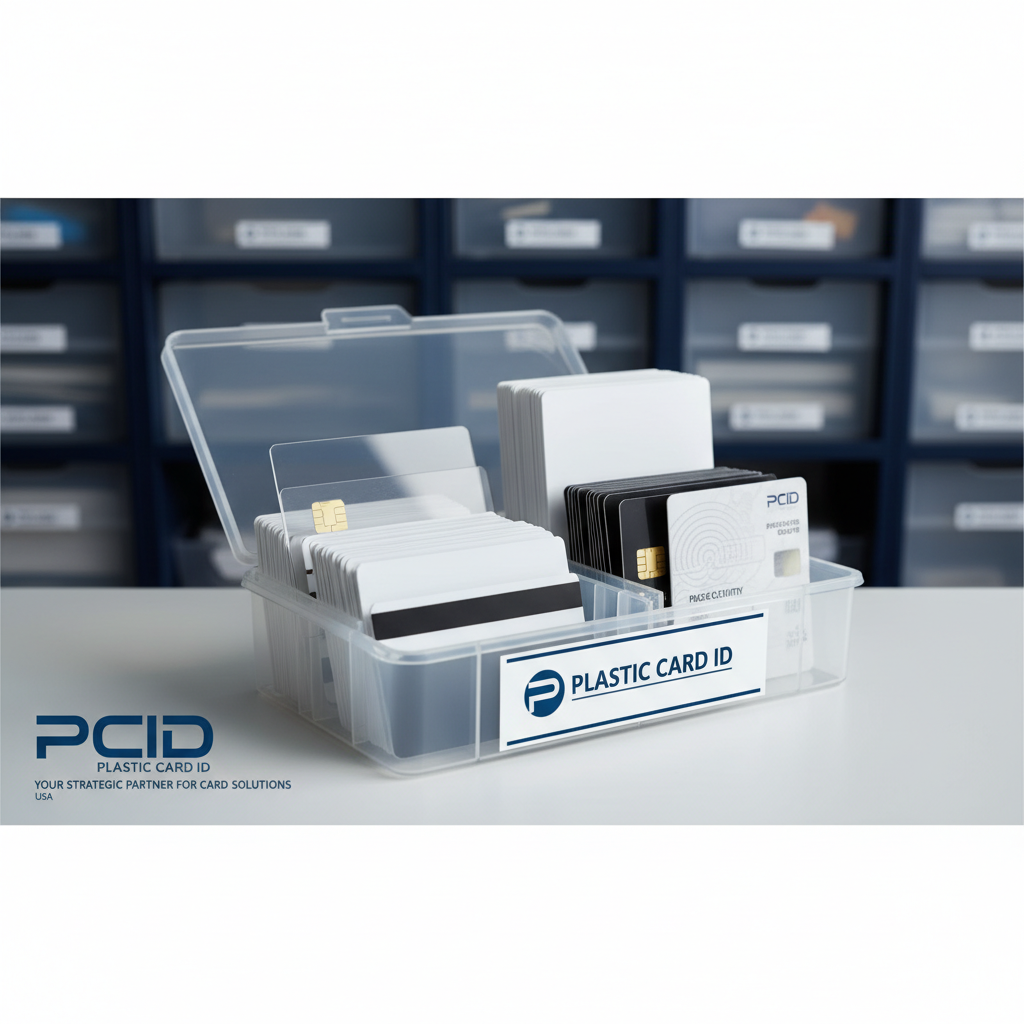 Blank specialty cards carry additional storage considerations beyond what plain PVC stock requires. Magnetic stripe cards - whether HiCo or LoCo - are particularly sensitive to electromagnetic fields during storage. A strong magnet near your card storage (speaker systems, certain shelving hardware, industrial equipment) can partially or fully demagnetize blank mag stripe cards before they ever reach your encoder. That means wasted stock and failed card programs.
RFID and proximity cards add another layer. These cards contain embedded antennas and chips that, while durable, can be affected by prolonged exposure to strong RF fields or physical stress. Smart chip cards with contact pads need protection from surface contamination - any residue on the chip contacts causes read errors and frustrated cardholders. Storage practices for specialty cards require more deliberate attention than for plain PVC stock.
Magnetic Stripe Card Storage Best Practices
Keep magnetic stripe card stock at least three feet away from any magnetic source. This includes audio speakers, certain power supplies, magnetic cabinet closures, and large electric motors. In office environments, this is rarely an issue - but in production or warehouse settings, it warrants a deliberate walk-around to identify potential field sources near your storage area.
HiCo cards, with their 2,750 Oe coercivity rating, are significantly more resistant to accidental demagnetization than LoCo cards (300 Oe). If your application requires the card to live near magnetic sources - hotel room key holders with magnetic clasps, for example - HiCo is your option. But even HiCo cards aren't invulnerable to sustained close-proximity exposure to strong fields. Treat storage as a proactive protection measure, not an afterthought.
RFID and Proximity Card Handling
RFID cards are more physically robust than many people assume - the antenna and chip are laminated within the card body, protected from normal handling. What damages them is focused mechanical stress: bending, creasing, or being stored under heavy weight that applies sustained pressure to the chip area. Store RFID card stock horizontally and flat, never vertically on edge where gravity can create a slow bow.
Proximity access cards should be stored away from other proximity devices during inventory. While casual proximity to other cards won't affect programming, keeping card types organized and separated by type reduces handling errors and ensures you're always reaching for exactly the card stock you intend to use. Organized storage is faster storage - and faster storage means more efficient operations at every scale.
Clear, Frosted, and Specialty Surface Cards
Clear and frosted plastic cards are visually distinctive and increasingly popular for membership programs, VIP cards, and premium loyalty applications. Their translucent surfaces show fingerprints, scratches, and surface contamination more visibly than standard white PVC stock - which makes proper storage even more important. Handle these cards with clean dry hands or cotton gloves, and keep them in their original sleeve packaging until print time.
Custom die-cut cards and specialty shapes require additional care because their non-standard geometry makes them more vulnerable to edge chipping and corner damage during storage. Store die-cut cards flat in rigid-walled containers rather than soft-sided bags. Metal cards - including Plastic Card ID's stainless steel, brass, and gold options - should be stored individually sleeved to prevent surface scratching between cards.
| Card Type | Primary Storage Risk | Key Precaution |
|---|---|---|
| HiCo Magnetic Stripe | Demagnetization | Keep 3 feet from magnetic sources |
| RFID/Proximity | Chip stress, bowing | Store flat, horizontal, no heavy weight on top |
| Clear/Frosted | Surface scratching, fingerprints | Keep in original sleeve, handle by edges |
| Metal Cards | Surface scratching between cards | Individual sleeves, rigid container |
| Smart Chip | Contact pad contamination | Keep sealed until use, avoid dust and oil |
Building a Card Inventory System That Works
Proper storage is inseparable from proper inventory management. An organization that stores cards perfectly but has no system for tracking what stock exists, when it was received, and which batch prints next will still encounter quality problems - specifically, printing from old stock that should have been cycled through earlier, or discovering that a specialized card type has run out at exactly the wrong moment. A practical inventory system prevents both waste and operational surprise.
The good news is that card inventory management doesn't need to be complex. Most organizations running card programs from 50 to several thousand cards per month can manage effectively with a simple shelf-labeling system, a basic spreadsheet, and a disciplined first-in-first-out rotation practice. Larger operations benefit from barcode-scanned bin systems, but that level of infrastructure is rarely necessary unless you're managing multiple card types across multiple locations.
First-In, First-Out Card Rotation
FIFO - first-in, first-out - is the cardinal rule of any consumable inventory, and blank card stock is no exception. When new card stock arrives, it goes behind existing inventory on the shelf. Printing always draws from the front. This ensures that no box of cards sits dormant for years while newer stock cycles through ahead of it. Rotating stock properly is the single most effective way to ensure consistent print quality over time.
Mark incoming boxes with the receipt date using a marker or label before shelving. This takes about five seconds per box and eliminates any ambiguity about which stock is oldest. Some organizations also note the printer model the stock is designated for, reducing the chance of accidentally loading incompatible card stock into a printer that requires specific thickness or surface specifications.
How Much Blank Card Stock Should You Keep on Hand?
This depends on your program volume and how quickly CPE can fulfill your orders - which, for most standard card types, is fast. A reasonable buffer for low-volume programs (under 200 cards per month) is a 30-60 day supply. Mid-volume programs (200-2,000 cards per month) typically maintain a 30-45 day buffer. High-volume operations may keep more on hand to accommodate production scheduling.
- Low-volume programs (under 200 cards/month): keep 30-60 days of stock on hand
- Mid-volume programs (200-2,000 cards/month): 30-45 day buffer is standard
- High-volume programs (2,000 cards/month): coordinate with your supplier for scheduled delivery and adjust storage accordingly
- Specialty card types (RFID, smart chip, metal): keep a slightly larger buffer due to longer lead times on some configurations
- Always maintain a minimum emergency supply of your most-used card type for unexpected demand spikes
Shelf Organization for Multi-Card Programs
Organizations running multiple card programs simultaneously - say, an employee ID program, a visitor badge program, and a customer loyalty program - need clear physical separation between card types in storage. Mixing card types is a recipe for printing the wrong card, loading the wrong stock into the wrong printer, or discovering mid-batch that what you're printing on isn't what you thought it was.
Dedicated bins or shelf sections per card type, clearly labeled with card type, thickness, and any special encoding (mag stripe, RFID, etc.), solve this immediately. Color-coded bin labels work particularly well in fast-moving print environments where staff may be rotating through different print jobs throughout the day. The small organizational investment pays dividends in reduced errors and faster card production throughput.
Frequently Asked Questions About Blank Plastic Card Storage
After 25 years and tens of millions of cards shipped, Plastic Card ID has fielded just about every storage question imaginable. Here are the ones that come up most often - with straight answers that you can apply immediately to your card program.
Can Blank Cards Be Stored Long-Term?
Yes, with proper conditions. Standard blank PVC CR80 cards stored at stable temperature and humidity in their original sealed packaging can maintain print-ready quality for two or more years. The practical limit isn't the card material itself - it's the degradation that happens when storage conditions aren't maintained. Cards stored correctly for 18 months are indistinguishable from freshly received stock.
Specialty cards - particularly those with magnetic stripes, embedded RFID antennas, or smart chip contacts - have similar shelf lives under proper conditions, though the electronic components add a layer of care requirements beyond what plain PVC stock demands. Contact CPE for guidance on specific specialty card types if you're planning extended storage of high-value card inventory.
What Happens If Cards Are Stored Improperly?
The consequences range from minor inconvenience to significant waste. Mildly warped cards cause feeder jams and inconsistent print quality. Severely warped cards cannot feed through most card printers at all. Surface-contaminated cards produce print defects ranging from subtle (slight color banding) to obvious (large voids or streaks). Demagnetized mag stripe cards encode incorrectly or not at all - the blank card looks fine but the finished card fails at the reader.
Beyond the direct cost of wasted card stock, improper storage creates downstream operational disruption: failed card programs, reprinting costs, printer maintenance issues, and - perhaps most importantly - delayed cards for employees, members, or customers who needed them on time. Prevention through proper storage is always cheaper than the consequences of neglecting it. Reach out to CPE if you suspect your current storage is affecting card output quality.
Do Printer Ribbons and Cleaning Kits Need Special Storage Too?
Yes, and they're often overlooked. Printer ribbons are sensitive to heat and light - a ribbon stored in a hot car or near a window will degrade faster than one kept in proper conditions. 800.835.7919 is available to answer questions about pairing the right ribbons and cleaning kits with your specific card printer model and storage setup. Cleaning kits lose their effectiveness if cleaning cards dry out from improper storage, so keeping them sealed until use is equally important.
Think of your card program consumables as a system: blank cards, ribbons, cleaning kits, and card carriers all work together to produce a finished card. Optimizing storage for just one component while neglecting the others leaves gaps in your quality control. A complete storage strategy covers all consumables, not just the blank card stock itself.
Ready to Stock Your Card Program Correctly? Contact Plastic Card ID Today
Every card program - from a 50-card-per-month gym membership operation to a multi-site institutional ID system producing tens of thousands of cards - runs better when the people managing it understand the full picture. Blank card storage isn't a footnote. It's a foundational element of card program quality, and the organizations that get it right consistently produce better cards with fewer problems and less waste.
Plastic Card ID supplies blank PVC cards, magnetic stripe cards, RFID and proximity cards, smart chip cards, clear and frosted stock, colored card blanks, and a full lineup of card printers, ribbons, and accessories - everything a USA-based business or organization needs to run a professional card program from start to finish. Our team brings 25 years of card program expertise to every client conversation, whether you're ordering 100 cards or 100,000.
Call Plastic Card ID at 800.835.7919 today. Let's make sure your card program - from storage to finished card - runs exactly the way it should.